
The first five listings a dealership prepares are a useful test of the entire publishing process. They can reveal whether vehicle identity, photos, pricing, records and approvals move together—or whether each listing depends on memory and last-minute fixes.
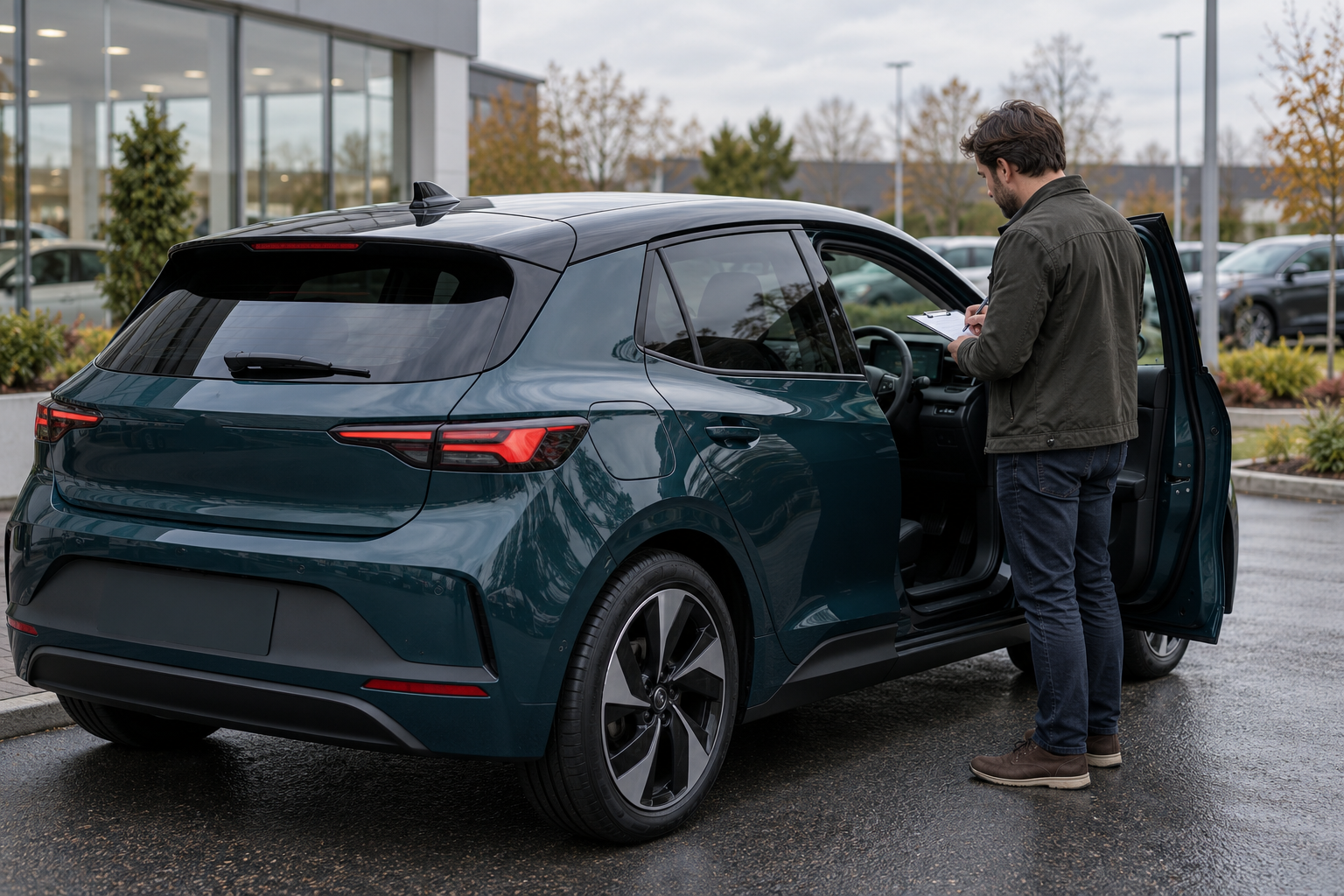
This guide gives a small dealership a repeatable pre-publish review for a batch of five vehicles. Five is a manageable working sample, not a performance benchmark or a promise about sales. The process does not replace state-specific legal advice, a mechanical inspection or the dealership’s own compliance review. The illustration above is fictional and does not show real vehicles, staff, documents or customer data.
1. Build one source record for each vehicle
Before writing advertising copy, create a source record for each of the five vehicles. Give every record a stable internal stock key and include the VIN, year, make, model, trim, current odometer reading and unit, location, inventory status, asking price and currency, photo-set date, known condition notes and the person responsible for approval.
Keep source material separate from the public description. A source record can point to an invoice, inspection note or original photograph without copying private customer information into the listing. If two files disagree, mark the public claim as hold until the difference is resolved. Do not pick the value that sounds better.
2. Confirm the exact vehicle identity
Read the VIN from the actual vehicle or an appropriate primary record and compare it with the inventory record. NHTSA’s VIN decoder can identify information encoded in a VIN using manufacturer-reported data. It is a useful cross-check, but it is not proof of ownership, mileage, current condition or every fitted option.
If the decoded year, make, model or other core detail conflicts with the draft, stop that listing. Resolve transcription errors and document the correction before continuing. Never copy a VIN, trim or option list from a similar vehicle on the lot.
3. Date the mileage and inventory status
Record the dashboard reading directly, including whether it is miles or kilometers and the date it was observed. If the vehicle remains in use, decide who updates the listing and when. A photo of the display can support the observed reading, but it does not establish the vehicle’s complete odometer history.
Confirm that the vehicle is physically available at the stated location and whether its status is available, pending, reserved, in reconditioning or otherwise not ready for sale. Use the dealership’s defined terms consistently. Do not publish a vehicle as available simply because its record still exists.
4. Verify trim and equipment from evidence
Review each important equipment claim against the actual vehicle, manufacturer documentation or another appropriate primary record. Distinguish standard equipment, confirmed factory options, dealer-installed items and accessories that are merely shown nearby. Appearance alone may not establish a package or feature.
For every claim likely to affect a buyer’s decision—drivetrain, seating configuration, driver-assistance feature, charging hardware, wheel set or included key—record the evidence used. If the evidence is incomplete, describe only what can be observed or remove the claim until it is verified.
5. Match the photo set to the correct vehicle and date
Open the full image set, not just the cover photo. Confirm that every image belongs to the correct stock key and represents the vehicle’s current condition. Include the exterior, interior, dashboard, cargo or seating areas, wheels and tires, and clear views of material wear or damage. Remove duplicates, unrelated vehicles and photographs from an older condition state.
Edits may improve exposure or crop distracting empty space, but they should not remove damage, warning lights or identifying evidence. Our vehicle photo naming and folder guide provides a file-control workflow that helps keep originals, selected images and published versions attached to the correct vehicle.
6. Separate observations, diagnoses and completed work
A visible scratch, a technician’s diagnosis, a repair estimate and a completed repair are four different facts. Label each one accurately. If a warning indicator is visible but the cause is unknown, say what was observed and do not invent a diagnosis. If work was completed, retain the record that supports the claim and note its date and mileage when relevant.
Review the draft for absolute phrases such as “perfect,” “fully repaired” or “needs nothing.” Replace unsupported conclusions with specific, evidence-based descriptions. FTC business guidance says advertising claims must be truthful, nondeceptive and evidence-based; that principle applies to both the headline and the details a buyer may reasonably take from it. See the FTC’s advertising and marketing guidance.
7. Keep records, history and recalls in separate lanes
List which service, repair or inspection records are available and the periods they cover. A missing invoice should remain a gap, not become an assumed service. Keep a vehicle-history report separate from current-condition evidence, and keep both separate from a recall search.
For a U.S. vehicle, check the VIN through NHTSA’s recall lookup and record the date. NHTSA explains that VIN results can show certain unrepaired recalls but omit categories such as already repaired recalls, some recently announced recalls, some older recalls and international campaigns. A zero-result search is not a mechanical inspection or a guarantee that the vehicle has no safety issue.
8. Reconcile the listing with the Buyers Guide and warranty documents
Dealers covered by the FTC Used Car Rule must prepare and display a Buyers Guide before offering a used vehicle for sale. The Guide states whether the vehicle is sold “as is” or with a warranty and identifies other required warranty information. Review the current FTC Dealer’s Guide to the Used Car Rule and applicable state requirements.
Before publication, make sure the listing, Buyers Guide, warranty documents and any separate service-contract description do not contradict one another. Do not rely on a website sentence to replace the required document, and do not convert an estimate or optional service contract into a warranty promise.
9. Check price, currency and conditions
Confirm the exact vehicle price, currency and effective date. Review every advertised discount or condition so that the listing explains material eligibility clearly. Identify optional add-ons as optional and make sure photographs of accessories do not imply inclusion when they are not part of the offer.
For dealer sales, build an internal path to a written out-the-door price that can be provided consistently when requested. The FTC’s used-car buying guidance advises shoppers to request a written out-the-door price before visiting so they can confirm the vehicle and identify last-minute charges or add-ons. State and local pricing rules may add requirements, so the dealership’s compliance owner should review the final format.
10. Give every listing a named reviewer
The person who collected the facts should not silently approve their own unresolved assumptions. Assign a reviewer who can compare the public draft with the source record, photographs and applicable documents. Record the reviewer, date, decision and any item still on hold.
Use three decisions: ready, hold or reject and rebuild. Ready means all required fields and evidence are present. Hold means a specific answer or asset is missing. Reject and rebuild means the draft is attached to the wrong vehicle, contains material contradictions or cannot be corrected safely with a small edit.
Use one board for the five-vehicle batch
| Vehicle | Identity | Current facts | Photos and condition | Price and documents | Decision |
|---|---|---|---|---|---|
| 1 | VIN and trim match | Mileage, unit, location and status dated | Current set; material wear shown | Price and Buyers Guide aligned | Ready |
| 2 | VIN differs from draft | Not reviewed | Not reviewed | Not reviewed | Hold: resolve identity |
| 3 | Match | Mileage is stale | Current set | Price confirmed | Hold: update mileage |
| 4 | Match | Current | Damage lacks context photo | Documents aligned | Hold: add photo |
| 5 | Match | Current | Current set | Optional add-on unclear | Hold: clarify terms |
A batch board makes incomplete work visible without averaging it away. Four held listings do not become publishable because one is ready. Release each vehicle only when its own acceptance criteria are met.
A fictional first-five review
A small fictional dealership prepares five listings. During review, vehicle 2 has one transposed VIN character, vehicle 3 has been driven since the odometer photo, vehicle 4 has a close-up of a dent but no wider location view, and vehicle 5 includes a wheel package in the gallery even though the price record does not say whether it is included.
The reviewer approves vehicle 1 and places the other four on specific holds. Staff re-read the VIN from vehicle 2, photograph the current odometer for vehicle 3, add wide and context views for vehicle 4, and remove the ambiguous wheel image from vehicle 5 until the offer terms are documented. No one guesses. Each correction is attached to the correct stock key, reviewed again and dated.
This example is a quality-control illustration, not a real dealership result. It does not predict buyer interest, sales or publishing speed.
11. Publish one, then verify the public result
Use the first approved vehicle as a controlled release. After publication, open the public page and compare the title, price, mileage, unit, location, photos, condition notes and contact path with the approved draft. Confirm that the page is reachable and that the correct vehicle appears. Do not assume that an upload or saved draft means the public listing is correct.
Correct any mismatch at its source, not only on one public channel. If the same vehicle is listed elsewhere, use the approved record to compare each channel. This guide does not assume that AutoDream or another marketplace automatically synchronizes inventory, prices or photos.
First-five pre-publish checklist
- Create one stable source record per vehicle.
- Confirm the VIN from the vehicle or an appropriate primary record.
- Cross-check year, make, model and trim.
- Record the current odometer reading, unit and date.
- Confirm physical location and inventory status.
- Verify important equipment claims from evidence.
- Match every photo to the correct vehicle and current condition.
- Show material wear or damage with wide, context and close views.
- Separate observations, diagnoses, estimates and completed repairs.
- Label gaps in service or ownership records instead of filling them with assumptions.
- Run and date the appropriate VIN recall check; retain its limitations.
- Reconcile the public draft with the current Buyers Guide and warranty documents.
- Confirm price, currency, offer date, discounts and optional add-ons.
- Assign a reviewer and record ready, hold or reject-and-rebuild.
- Publish one approved listing and verify the actual public page.
- Apply the same acceptance criteria to the remaining four vehicles.
- Keep a dated change log and re-review material changes.
The value of a first-five review is not that five listings are special. It is that a small batch makes the dealership’s rules visible. Once every accepted listing can be traced to the correct vehicle, current evidence, clear terms and a named approval, the same process can scale without turning uncertainty into advertising copy.
Ready to list your car?
Put your vehicle details and photos together, then start your listing on AutoDream.
Create your listing